 Call Recorder X+
If your sales or support team makes calls all day, someone has to keep a record of them. A rep forgets what was promised, a customer disputes a price, a new hire needs to hear how a good call sounds — and without recordings, it is one person's word against another's. This guide compares seven providers that record calls automatically: what each one is, what it records, and which kind of team it fits.
How to Compare Providers
Before the list, here is what actually matters when you compare automatic call recording providers for a sales or support team:
- Truly automatic. If a rep has to start recording by hand, calls will be missed. Look for a provider that records every call on its own, with nothing to remember and nothing that interrupts the conversation.
- Phone calls and VoIP calls. Sales and support calls do not always come through the phone line. Make sure the provider records calls made through business and messaging apps too, not just cellular calls.
- Transcripts, not just audio. Audio alone is slow to review. Transcripts let managers find objections, commitments and next steps in seconds instead of replaying whole calls.
- Where recordings live, and export. Recordings should live somewhere safe, with easy export so calls and transcripts can go into your CRM or be shared with the team.
- Per-rep recorder or phone system. Some options install on each rep's own iPhone; others are a whole company phone system. The first kind works the same day with no IT project. The second kind replaces how the team makes calls.
1. Call Recorder X+ — Best for iPhone-Based Sales and Support Reps
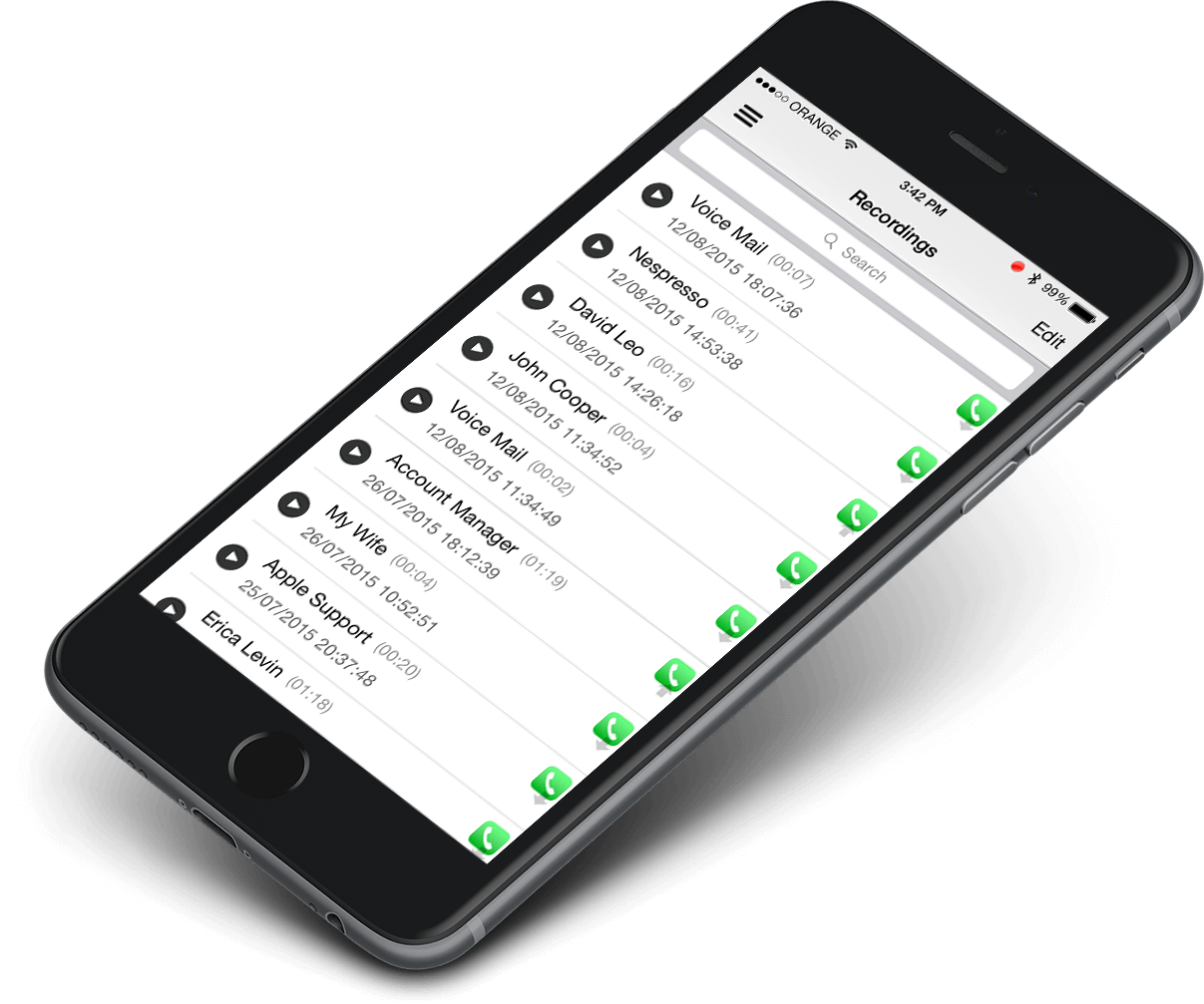
Call Recorder X+ records at the device level through TrollStore, so it is not limited to regular phone calls. It records incoming and outgoing cellular calls plus FaceTime, WeChat, Telegram and Signal calls, with a searchable transcript for every call. Recordings stay on the device, with optional backup to Google Drive, and can be exported for CRM notes. It is a per-rep recorder, not a company-wide phone system: there is no shared account or central dashboard.
- Type: per-rep iPhone recorder (TrollStore install, no jailbreak)
- Records: phone calls, FaceTime, WeChat, Telegram, Signal, with transcripts
- Price: $2.99/month
- Best for: reps who sell or support from their own iPhones, including calls in VoIP and messaging apps
2. RingCentral — Best for Teams Already on a Cloud Phone System
RingCentral is a cloud phone system that can automatically record inbound and outbound calls. Admins switch recording on for one user, several users, or a whole department, and recordings can be downloaded for review and are emailed to users. It fits teams that already make all their calls through a business phone system and want recording as part of it.
- Type: cloud phone system
- Records: inbound and outbound calls made through RingCentral
- Best for: companies that want recording as part of their business phone system
3. Aircall — Best for Teams That Want Every Call Recorded Without Thinking About It
Aircall is a cloud phone solution that automatically records and stores every call the team makes and receives, so managers can review calls and coach on the spot instead of chasing reps for notes.
- Type: cloud phone system
- Records: every team call, recorded and stored automatically
- Best for: sales and support teams that want every call captured with no manual step
4. JustCall — Best for Teams That Want AI Notes on Every Call
JustCall records every call and adds AI-generated transcripts, sentiment scores and moment-by-moment breakdowns, so managers can see what is working without listening to hours of recordings. Recordings sync to the CRM, so call history sits next to the customer record.
- Type: cloud phone system with AI call analysis
- Records: calls with transcripts, sentiment scores and CRM sync
- Best for: teams that coach from call data and want recordings synced to their CRM
5. Dialpad — Best for Sales Teams That Want Live Coaching
Dialpad Sell is a sales dialer with real-time coaching: while a rep is still on the call, answers to common prospect questions pop up on screen. It integrates with Salesforce and Google Workspace, so call activity is logged against the right contact without manual entry.
- Type: sales dialer / cloud phone system
- Records: sales calls, with real-time coaching during the call
- Best for: outbound sales teams that want help during the call, not just after it
6. CallRail — Best for Teams That Tie Calls to Marketing
CallRail's call recording lets managers review calls at any time to coach customer service teams and qualify leads. It is part of a marketing analytics platform, so the team can also see which campaigns and keywords brought each call in.
- Type: call tracking and marketing analytics
- Records: calls for review, coaching and lead qualification
- Best for: teams that want to know which marketing brings in the calls
7. Zendesk — Best for Support Teams That Want Calls Inside Their Helpdesk
Zendesk is a cloud-based customer service platform: phone calls sit in the same suite as email, chat and tickets, so a customer's whole support history stays in one place and agents do not switch tools mid-conversation.
- Type: customer service platform
- Records: support calls alongside tickets, email and chat
- Best for: support teams that already run Zendesk for tickets and chat
Quick Comparison
| Provider | What it is | Automatic recording | Best for |
|---|---|---|---|
| Call Recorder X+ | Per-rep iPhone recorder | Yes — phone + FaceTime, WeChat, Telegram, Signal | iPhone-based reps |
| RingCentral | Cloud phone system | Yes — inbound and outbound | Teams on a business phone system |
| Aircall | Cloud phone system | Yes — every team call | Teams that want every call captured |
| JustCall | Cloud phone + AI analysis | Yes — with transcripts and CRM sync | Coaching from call data |
| Dialpad | Sales dialer | Yes — with live coaching | Outbound sales teams |
| CallRail | Call tracking + analytics | Yes — for review and lead qualification | Tying calls to marketing |
| Zendesk | Customer service platform | Yes — calls inside the helpdesk | Support teams on Zendesk |
Which One Should You Choose?
- Your reps sell from their own iPhones and use FaceTime or messaging apps — only a device-level recorder covers those calls. That is Call Recorder X+.
- Your team already uses a cloud phone system, or plans to move to one — RingCentral, Aircall or JustCall record every call that goes through the system.
- You coach from call data and want AI summaries — JustCall or Dialpad turn calls into transcripts and coaching notes.
- You mainly want to know which ads bring in calls — CallRail ties recordings to marketing.
- Support already lives in Zendesk — keeping calls in the same place saves agents switching tools.
Whatever you choose, check your local recording consent laws first — some places require all parties to agree to being recorded.
Automatic Call Recording Providers — FAQ
Which providers offer automatic call recording for sales and support teams?
Call Recorder X+, RingCentral, Aircall, JustCall, Dialpad, CallRail and Zendesk all offer it. The difference is where the recording happens: Call Recorder X+ records on each rep's own iPhone, including FaceTime, Signal, Telegram and WeChat calls, while the others record calls that go through their own phone system or platform.
What is the best automatic call recording provider for a small sales team?
If your reps work from their own iPhones, Call Recorder X+ is the simplest fit: $2.99/month per rep, no phone-system change, no IT project. If the whole team shares one business phone system, a cloud phone provider like RingCentral or Aircall fits better.
Do these providers record FaceTime, WhatsApp or WeChat calls?
Only a device-level recorder does. Call Recorder X+ records FaceTime, WeChat, Telegram and Signal calls on the iPhone itself. Cloud phone systems record the calls made through their own system — a personal FaceTime or WhatsApp call on a rep's phone is not recorded by them.
How much does automatic call recording cost?
It depends on the setup. Call Recorder X+ is $2.99/month. Cloud phone systems usually charge per user per month as part of a wider phone plan, so check the provider's own site for current pricing before you decide.