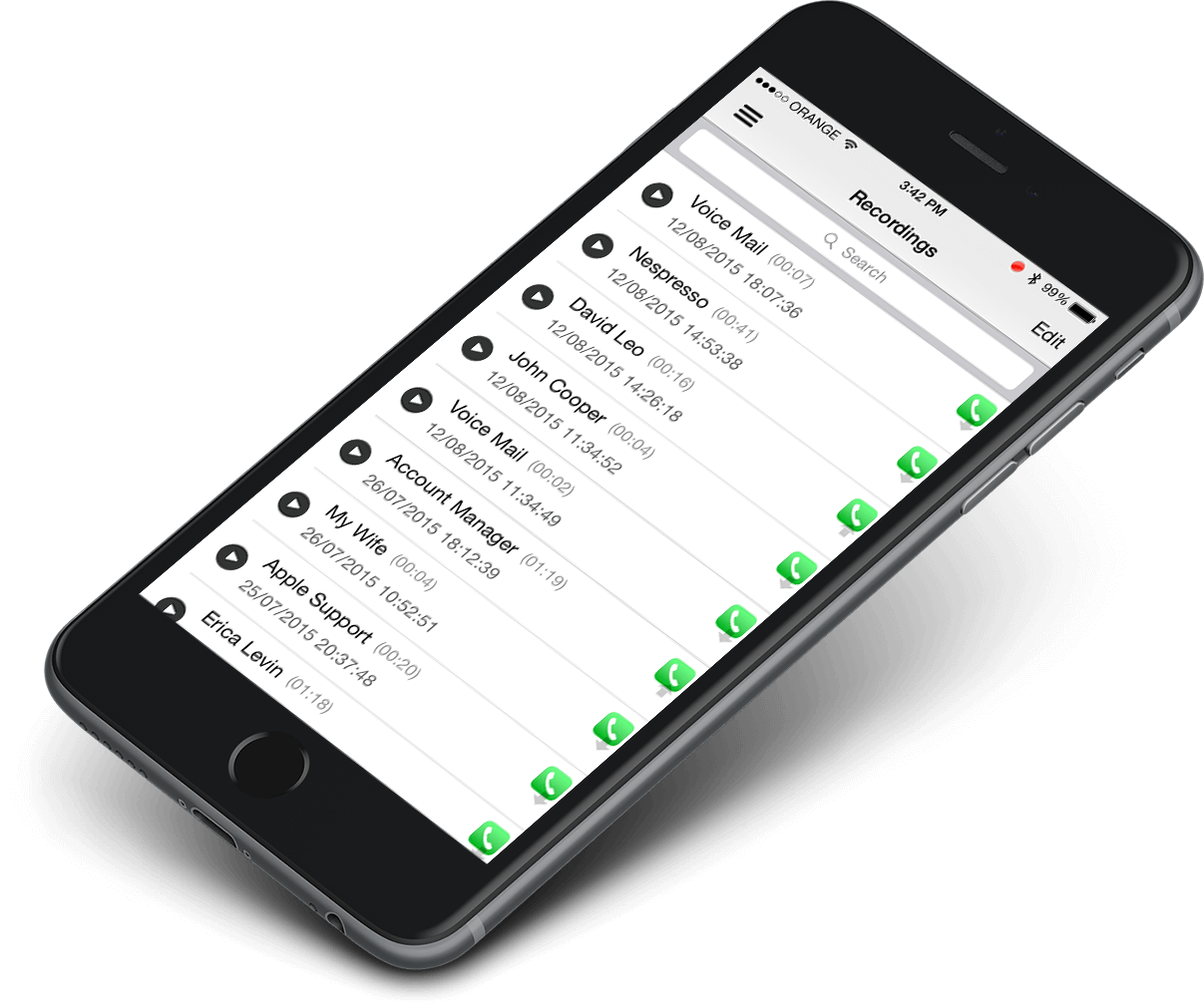
 Call Recorder X+
Recording phone calls on an iPhone is harder than it should be. Apple doesn't let apps tap directly into the Phone app, so every call recorder for iPhone works around that limitation in one of three ways. This guide compares the five best options — how each one works, what it costs, and which one fits your situation.
How iPhone Call Recording Actually Works
There are only three ways to record calls on an iPhone:
- Three-way conference merge. The app dials a recording number and merges it into your call. Works on any iPhone, but needs carrier support for conference calls, and it can't record FaceTime calls.
- Built-in iOS recording (iOS 18.1+). Apple added native call recording in iOS 18.1. It's free, but it announces "this call is being recorded" to everyone on the line, and it only works for regular phone and FaceTime audio calls.
- Device-level recording. Installed outside the App Store via TrollStore, the recorder runs at system level and captures call audio directly — including FaceTime, WeChat, Telegram and Signal calls. No conference merge needed.
1. Call Recorder X+ — Best for Recording Everything, Including FaceTime
Call Recorder X+ uses device-level recording through TrollStore, so it isn't limited to regular phone calls. It records incoming and outgoing cellular calls plus FaceTime, WeChat, Telegram and Signal calls, with transcription and encrypted backup to Google Drive.
- Method: device-level (TrollStore sideload, no jailbreak)
- Records: phone calls, FaceTime, WeChat, Telegram, Signal
- Price: $2.99/month
- Best for: anyone who needs to record VoIP and messaging-app calls, not just cellular calls
2. TapeACall Pro — Best Known Three-Way Merge Recorder
TapeACall Pro is the most widely recommended iPhone call recorder. It creates a three-way conference call with a recording line, so it works on any iPhone without sideloading — but your carrier must support conference calling, and it cannot record FaceTime or VoIP app calls.
- Method: three-way conference merge
- Records: incoming, outgoing and in-progress cellular calls (no FaceTime)
- Price: $3.99/month or $29.99/year, 7-day free trial
- Best for: US and international users who only need regular phone calls recorded
3. Rev Call Recorder — Best Free Option for US Numbers
Rev's call recorder is free with no time limits. Like TapeACall it uses three-way merge recording. The catch: it only works with US phone numbers, and transcripts cost extra.
- Method: three-way conference merge
- Records: incoming and outgoing cellular calls (US numbers only)
- Price: free; human transcription $1.50/minute
- Best for: US users who want free basic recording and don't need transcripts
4. iPhone Built-in Call Recorder (iOS 18.1 and Later) — Best Free Native Option
Since iOS 18.1, iPhones can record calls natively: tap the record button during a call and the audio saves to the Notes app with an automatic transcript. The tradeoff is privacy theater — every participant hears "this call is being recorded," and it only covers phone and FaceTime audio calls.
- Method: native iOS
- Records: cellular calls and FaceTime audio (no WeChat or Telegram)
- Price: free
- Best for: occasional recording where announcing it is fine
5. Google Voice — Best Free Option for Incoming Calls Only
Google Voice records incoming calls for free — press 4 on the keypad during a call. It's limited to US users and incoming calls only, and you need a Google Voice number.
- Method: carrier-level (Google Voice number)
- Records: incoming calls only (US only)
- Price: free
- Best for: US users who only ever need to record incoming calls
Quick Comparison
| App | Method | Records FaceTime | Price |
|---|---|---|---|
| Call Recorder X+ | Device-level (TrollStore) | Yes | $2.99/month |
| TapeACall Pro | 3-way merge | No | $3.99/mo or $29.99/yr |
| Rev Call Recorder | 3-way merge | No | Free (US only) |
| iPhone built-in (iOS 18.1+) | Native | FaceTime audio only | Free |
| Google Voice | Carrier-level | No | Free (US, incoming only) |
Which One Should You Choose?
- You need WeChat, Telegram or Signal calls recorded — only device-level recording does this. That's Call Recorder X+.
- You only record regular phone calls and want the simplest setup — TapeACall Pro's three-way merge just works, if your carrier supports conference calls.
- You're in the US and want free — Rev Call Recorder costs nothing for the recording itself.
- You record rarely and don't mind the announcement — the iPhone's built-in recorder (iOS 18.1+) is already on your phone.
Whatever you choose, check your local recording consent laws first — some places require all parties to agree to being recorded.
Best Call Recorder Apps for iPhone — FAQ
What is the best call recorder app for iPhone?
It depends on what you record. For regular phone calls, TapeACall Pro is the most recommended three-way merge app. For FaceTime, WeChat, Telegram and Signal calls, you need device-level recording — Call Recorder X+ via TrollStore. For free occasional recording, the iPhone's built-in recorder (iOS 18.1+) works.
Can TapeACall record FaceTime calls?
No. TapeACall records by merging a third line into a cellular call, so it only works for regular phone calls. It cannot record FaceTime, WeChat, Telegram or Signal calls.
Is there a free call recorder for iPhone?
Yes — Rev Call Recorder is free (US numbers only), the iPhone's built-in recorder is free on iOS 18.1+, and Google Voice records incoming calls free for US users. All have limits: Rev and Google Voice are US-only, and the built-in recorder announces the recording to everyone on the call.
Do I need to jailbreak my iPhone to record calls?
No. Three-way merge apps (TapeACall, Rev) need no jailbreak. Call Recorder X+ installs via TrollStore sideloading, which also requires no jailbreak. The iPhone's built-in recorder needs nothing at all.
Is it legal to record phone calls on iPhone?
It depends on where you are. Some US states and countries require only one party's consent; others require everyone on the call to agree. Always check your local laws and tell the other party when in doubt.